How Long Does AI Transcription Take? A Practical Benchmark
Estimate AI transcription turnaround by measuring upload, queue, processing, and review time with representative files instead of headline speed claims.
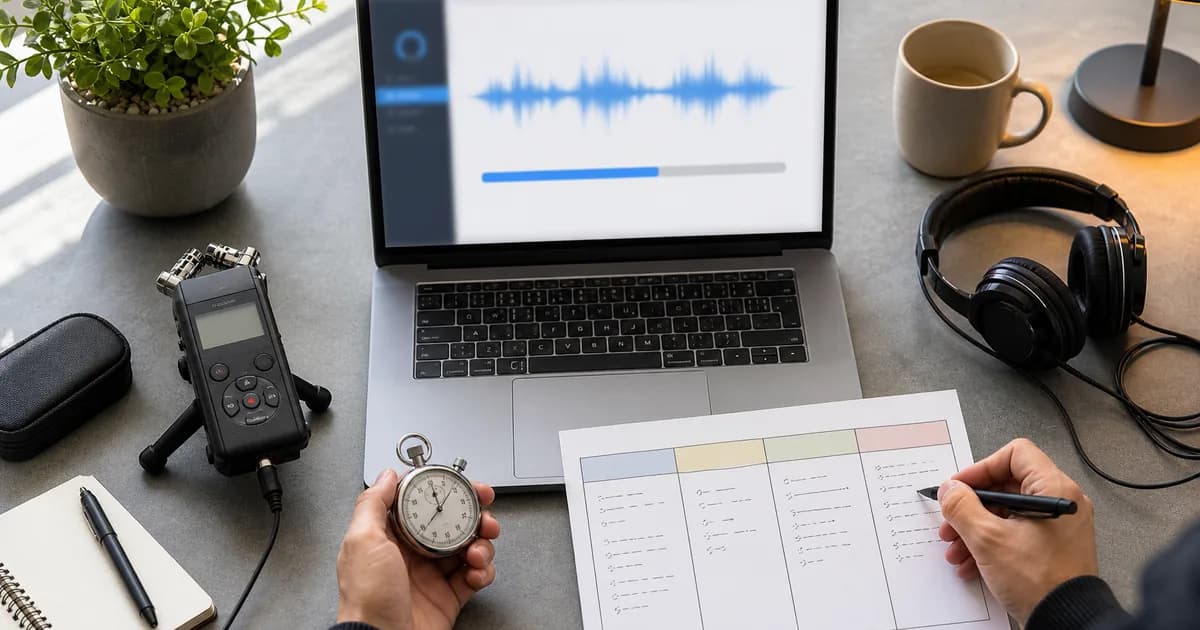
The honest answer is that AI transcription time depends on more than audio duration. Upload speed, queue time, model choice, speaker separation, file format, and the review standard can all change when a transcript becomes usable. A useful estimate therefore measures the whole path from selecting a file to approving the text — not just the model's processing timer.
The four clocks to measure
- Upload time — affected by file size and your connection. A large uncompressed recording can spend longer uploading than processing.
- Queue time — the interval before processing starts. This can vary with service load and account limits.
- Processing time — speech recognition, speaker separation, timestamps, and output generation.
- Review time — the human pass for names, numbers, specialist terms, quotations, and high-consequence statements.
Use this formula:
usable turnaround = upload + queue + processing + required reviewThe final term is easy to ignore and often dominates the workflow. A meeting summary may need a quick scan; a publishable interview or legal record may require line-by-line verification against the audio.
Run a representative benchmark
Do not benchmark only your cleanest 30-second clip. Choose three files that resemble real work:
| Test file | What it represents | What to record |
|---|---|---|
| Clean, single speaker | Voice memo or prepared talk | Upload, processing, obvious errors |
| Typical conversation | Meeting, interview, or podcast | Speaker attribution, names, review time |
| Difficult audio | Noise, accents, overlap, or jargon | Failed words, listen-back time, unusable sections |
For each file, start the timer before upload and stop it when the transcript is usable for its intended purpose. Record audio duration and file size separately so you can distinguish a slow upload from slow processing.
Worked planning example
Assume a team measures one representative recording and observes 90 seconds of upload, 4 minutes of queue and processing, and 12 minutes of review. The usable turnaround is 17 minutes 30 seconds — not four minutes.
For a second file recorded in a noisy room, processing might remain similar while review expands substantially. That tells the team where to invest: microphone placement and a names glossary may save more time than changing providers.
These numbers are illustrative, not TranscribeBee guarantees. Your own benchmark should supply the inputs.
What changes the estimate
- File size and connection: converting a lossless archive copy to a sensible upload format can reduce transfer time, but never discard the original.
- Overlapping speakers: diarization and human attribution checks become harder when people talk simultaneously.
- Names and domain language: a roster or glossary shortens review because reviewers know what to verify.
- Output purpose: searchable notes, subtitles, research quotations, and regulated records require different review depth.
- Batch behavior: confirm whether multiple files queue, run concurrently, or are limited by the provider. Do not assume parallel or sequential processing.
- Retries and failures: include them in the benchmark; a median that excludes failed jobs hides operational risk.
AI Transcription Time Calculator Prompt
Use this after measuring at least one real file:
Build a transcription turnaround estimate from my measured data.

Measured reference file:
- Audio duration: [minutes]
- File size: [MB]
- Upload time: [minutes and seconds]
- Queue plus processing time: [minutes and seconds]
- Review time: [minutes and seconds]
- Recording difficulty: [clean / typical / difficult]
- Intended use: [notes / publication / subtitles / research / regulated record]

New workload:
- Number of files: [count]
- Total audio duration: [hours and minutes]
- Expected file sizes: [range]
- Similarity to reference file: [explain]
- Deadline: [date and time]

Calculate:
1. A planning estimate using the measured ratio
2. A conservative estimate with a clearly stated buffer
3. Which assumptions are unsupported
4. Which file should be tested next to reduce uncertainty

Do not invent provider speeds or assume files run in parallel.
FAQ
Should I use the fastest test result? No. Use the median for routine planning and the slowest representative result for deadlines with consequences.
Does audio length predict everything? No. It helps with processing and review estimates, while file size better predicts upload time.
How often should I rerun the benchmark? After a model, provider, workflow, or file-format change, and whenever observed turnaround begins to differ materially from your estimate.
Where should I start? Upload one representative file to TranscribeBee, record each stage, and keep the result as your first baseline rather than relying on a universal speed claim.

More Posts
Compare AI-first, human, and hybrid transcription workflows by turnaround, review effort, risk, and the cost of correcting an important error.

Why AI transcription botches names, jargon, and homophones even with perfect audio — and the context-primer, vocabulary, and review techniques that fix it.

Four formats, four use cases, one-minute decision: TXT for reading, SRT for video subtitles, VTT for styled web captions, JSON for building things.
Newsletter
Join the community
Subscribe to our newsletter for the latest news and updates